

Smart cart
The cart is the screen that sells. Make it look like yours.
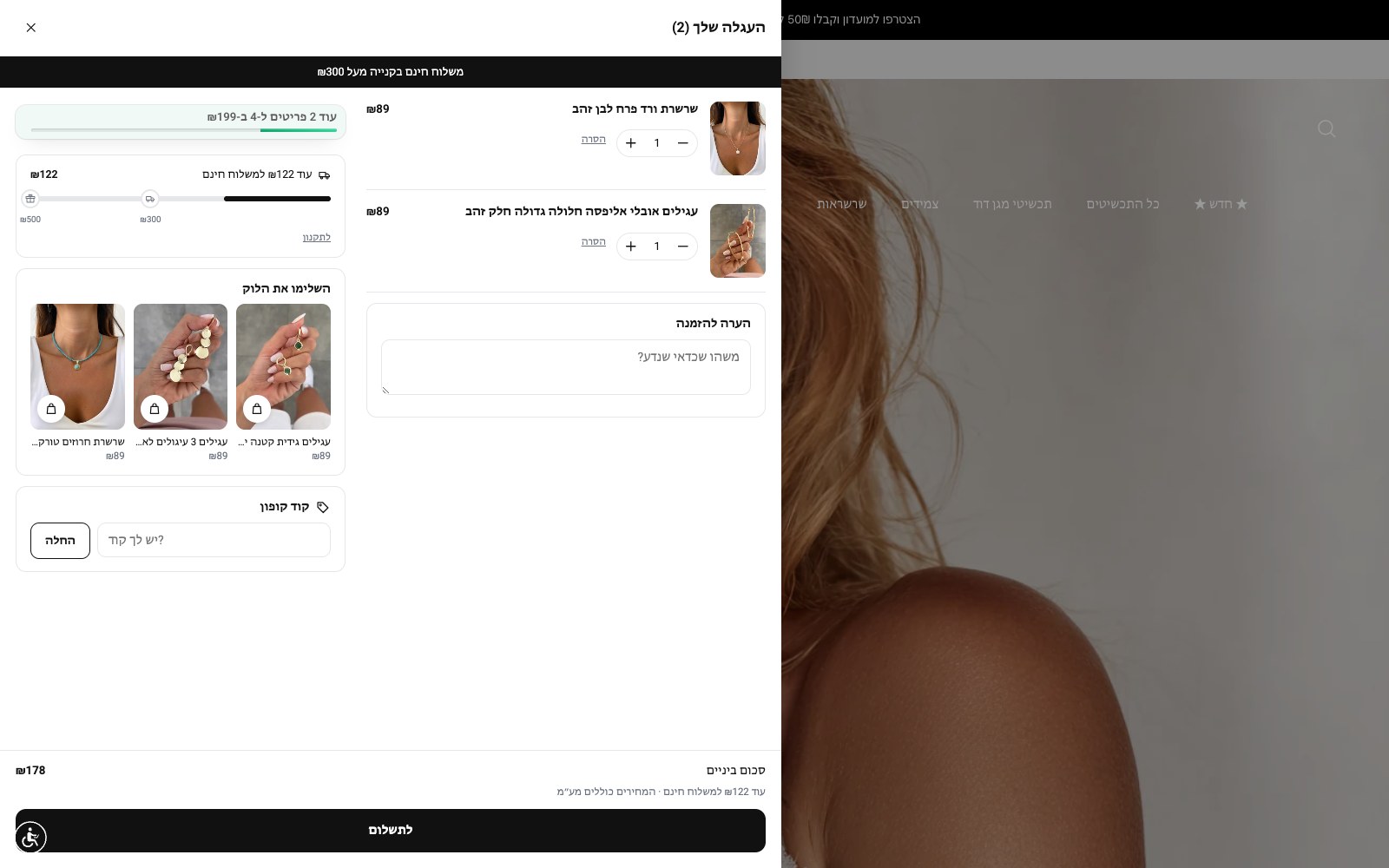
keepodi replaces the theme's cart drawer with one in your design: wide on desktop with a widget column, an announcement bar, progress bars for free shipping and gifts, a coupon field, an order note and the after-discount price on every line. Cart upsell, smart discounts, the club and complete-the-look render right inside it.
Built to work. For you.
Full design control
Colours, corners, text size, page dim, width and two columns on desktop. Four presets to start from and a live desktop/mobile preview.
Progress bars that grow the basket
"₪140 away from free shipping", a discount at a threshold, a gift at a higher one. One goal or several on one bar with milestones.
After-discount price on every line
The original price struck through, the discounted price next to it, cart-level discounts in the summary. Shoppers see what they save before checkout.
Coupon and note, optional
A Shopify discount-code field applied straight to the cart, and an order note saved as they type. Each toggles on or off.
Top announcement bar
Rotating messages under the title: shipping, returns, this week's deal.
Every tool inside
Cart upsell, the smart-discounts strip, the club box and "complete the look" render inside the cart, in the position and order you set.
Three steps. And it runs.
Turn on and design
Pick a preset, tune colours and width, switch on the widgets you want. The preview updates instantly.
keepodi replaces the drawer
The theme drawer is hidden. The cart icon and every add-to-cart open the smart cart.
The shopper buys
Everything stays Shopify: same cart, same checkout. keepodi just shows it better and measures opens and orders.
Questions, answered
Does it replace Shopify checkout?
No. The smart cart displays the Shopify cart and updates it through the official API. The checkout button leads to the regular checkout.
What happens to my theme?
Nothing is deleted. The theme drawer is hidden while the tool is on; turning it off brings it back instantly.
Does it work with every theme?
With most themes automatically. Unusual themes get advanced fields for the cart icon and drawer selectors.
Now in your store.
Install from the Shopify App Store in two minutes. 14-day free trial, billed through Shopify, cancel in one click.
Install from the Shopify App Store